
Contents
- Confirm your Digital Vault setup
- Add an Asset to Digital Vault
- Choose your Wallet type
- Prepare to generate a new Seed Phrase
- Configure and generate Seed Phrase
- Vault12 Guard uses entropy for Seed Phase generation
- Initialize or import Seed Phrase into your wallet
- Name your Asset, and store it in your Vault
- Your Vault distributes a Backup of your Asset to your Guardians
In this guide, we wIll show you how to use Vault12 Guard to generate a new Seed Phrase, and then automatically back it up.
Once that's done, your Seed Phrase can be used to initialize your choice of Wallet.
Before you complete any of these steps, you probably want to check out our Wallet Guides, where we offer guidance in choosing security options for the most popular wallets, including details about how to initialize your wallet or import a Seed Phrase (if supported by that wallet).
To generate a Seed Phrase in the Guard app and use it to initialize your wallet, you will need to complete the following steps:
- Using Guard, create and set up a Digital Vault.
- Add an Asset to your Vault, e.g., "Add Web3 Wallet."
- Still in the app, configure and generate a Seed Phrase.
- Save the Seed Phrase or backup code into your Vault.
After these steps, you can confirm in Guard that your new Asset's automatic Seed Phrase backup was successful.
Confirm your Digital Vault setup
In order to back up a Seed Phrase, you must have a working Digital Vault. If you have not created a Digital Vault and assigned Guardians to protect it, please follow these instructions first.
After you have created a Vault, from Guard's Home screen, add an Asset to your vault by tapping on "Add a Web3 Wallet."
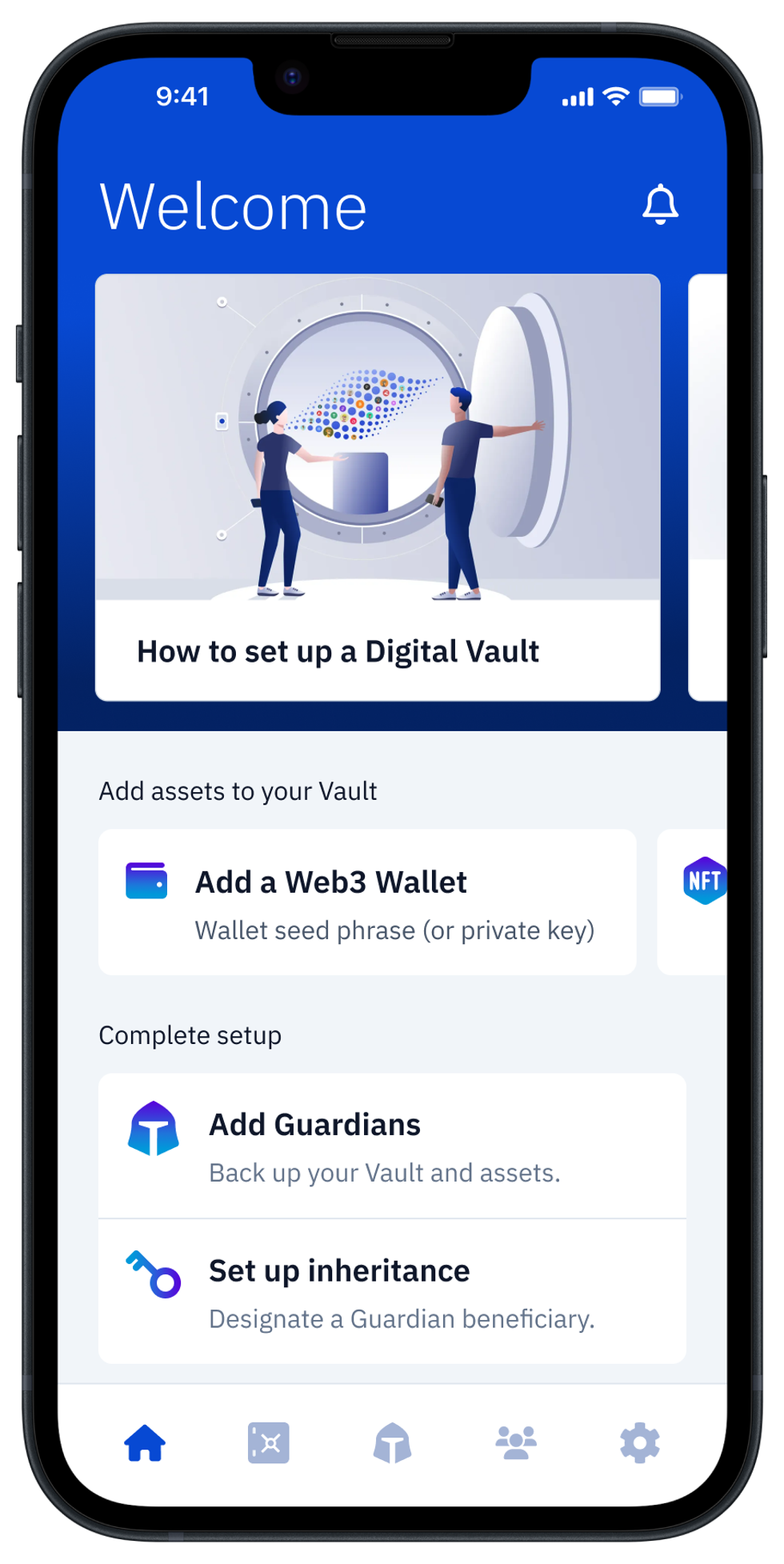
Add an Asset to Digital Vault
Alternatively, you could start from Guard's "My Vault" screen, by tapping the Add an Asset button, or the [ + ] button in the upper right corner, and then choosing Web3 Wallet.
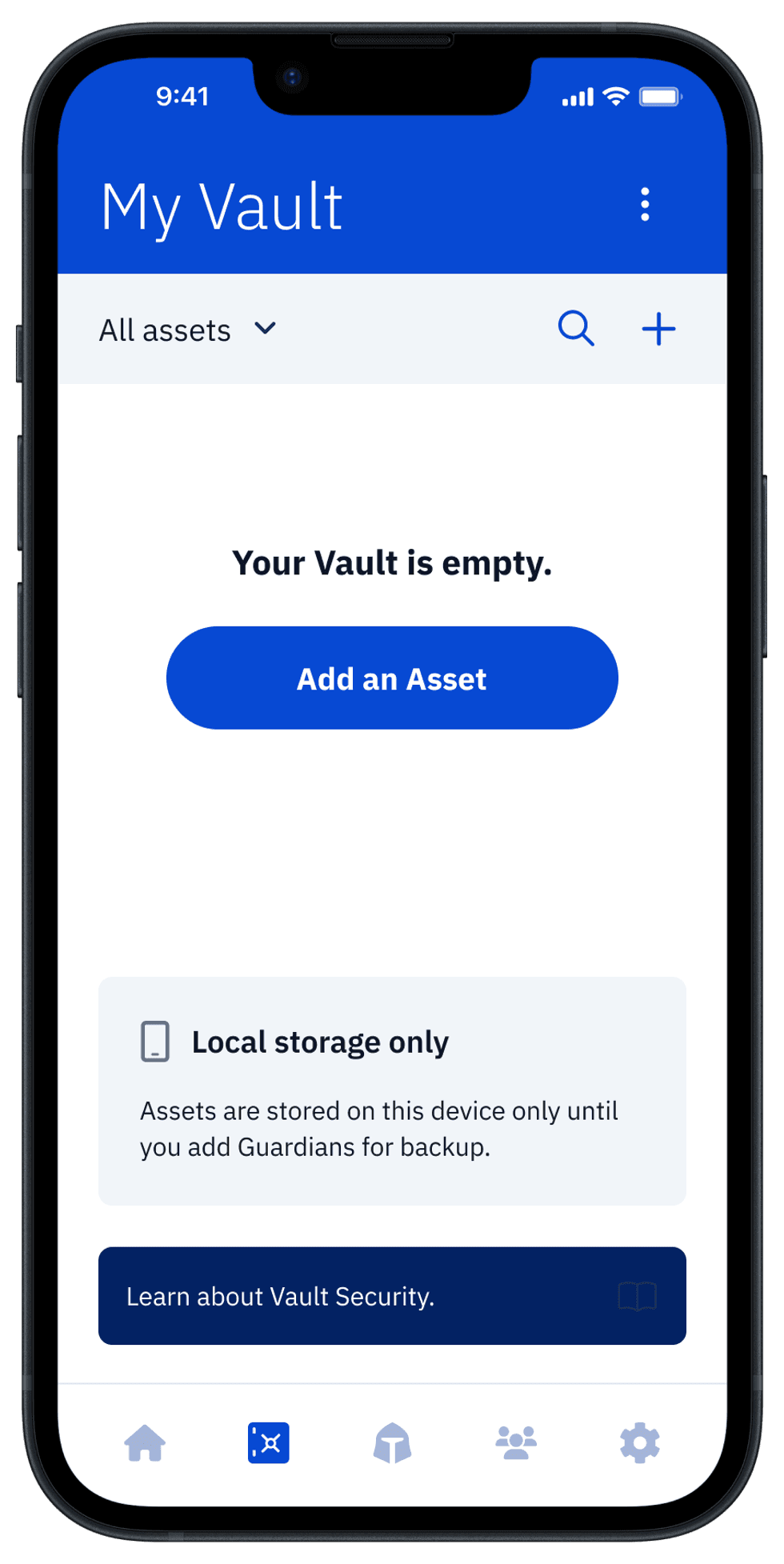
Choose your Wallet type
On the next screen, you will be able to choose the wallet vendor that you are using (or plan to use). By identifying the wallet vendor, it is easy for you to distinguish multiple seed phrases and private keys that you may accumulate in your Vault in the future.
When you select a wallet type, you can choose from all major vendors of software and hardware wallets.
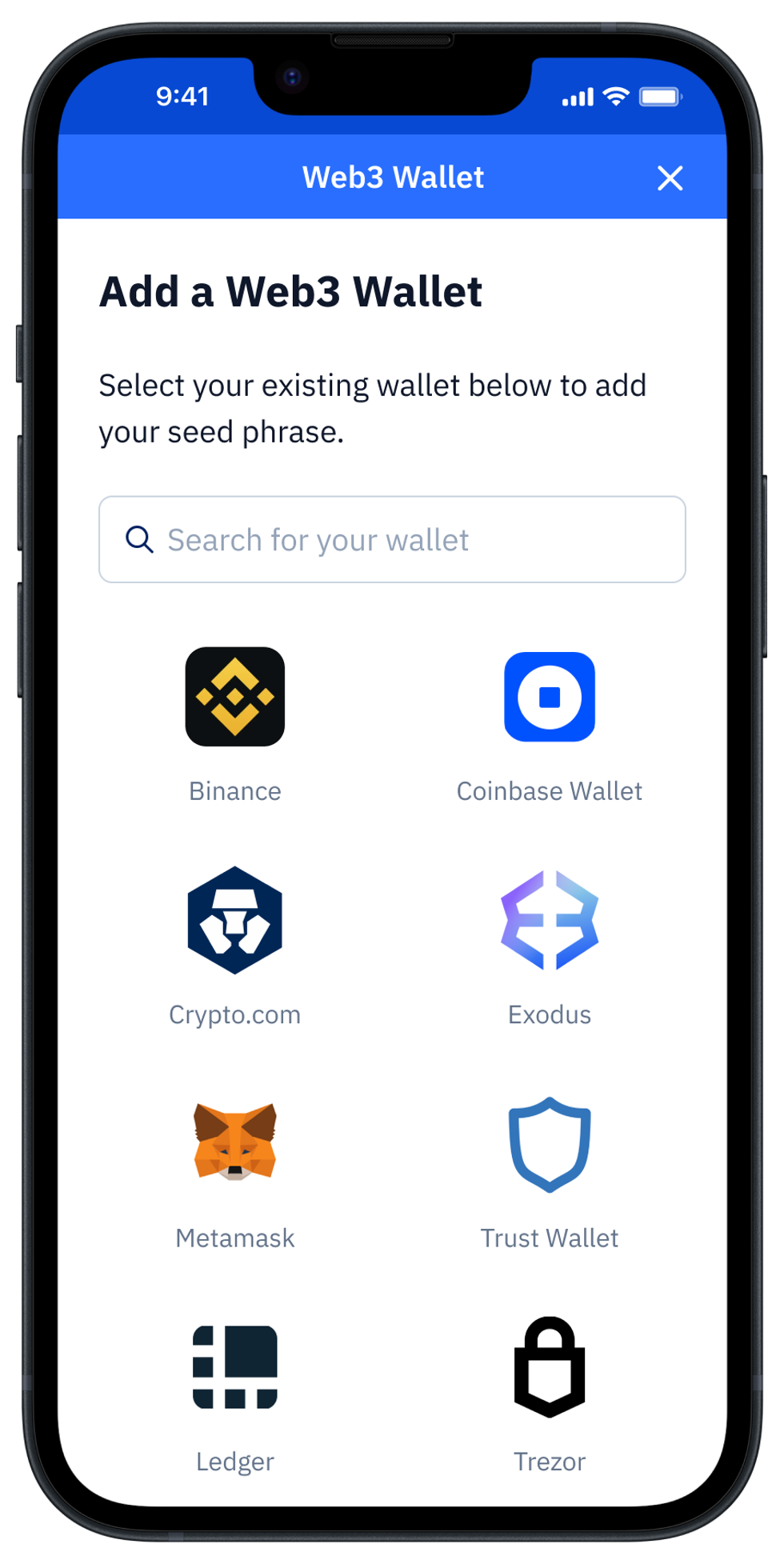
Prepare to generate a new Seed Phrase
For this example, we've selected the Metamask wallet type. To generate a new Seed Phrase, Under "Advanced options," choose to "Generate seed phrase."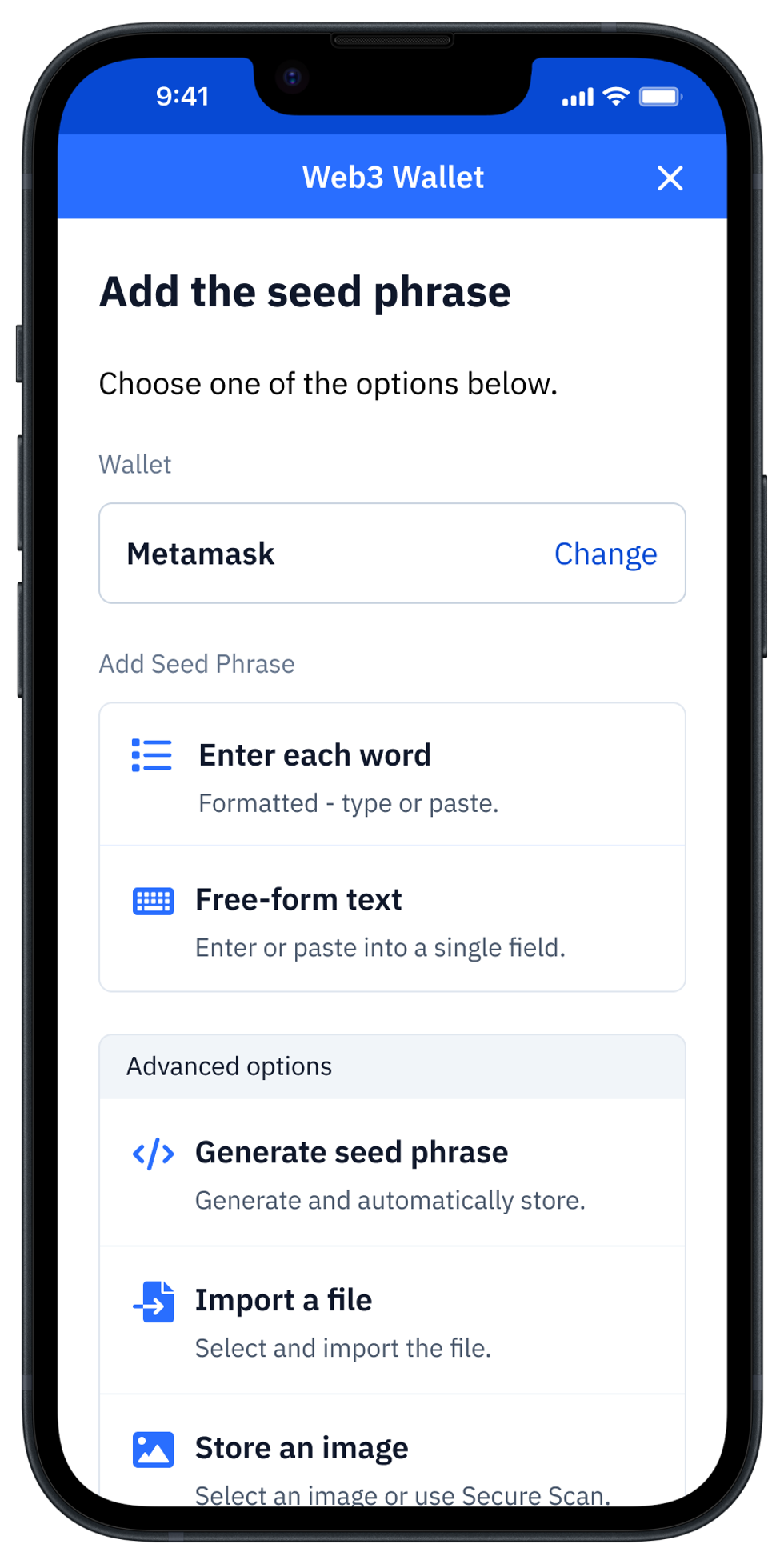
Configure and generate Seed Phrase
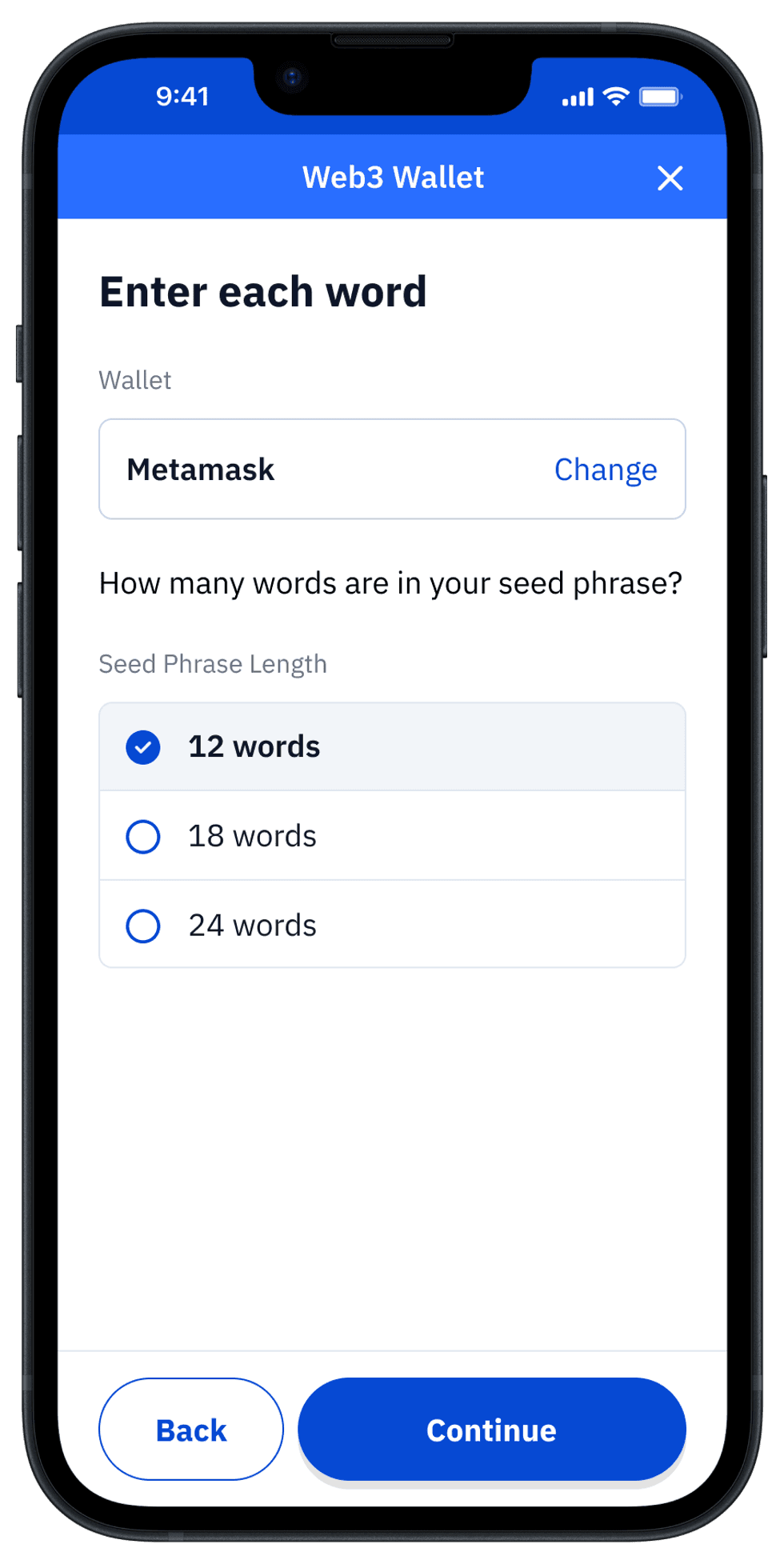
You'll be asked to choose how many words will be in your generated backup code. It's important to note that not all wallets support all of these options, so check your wallet documentation to decide which option is best for you. In general, the more words there are in the seed phrase, the more secure it will be.
Back to our example, our Metamask wallet is ready for a 12-word seed phrase.
Vault12 Guard uses entropy for Seed Phase generation
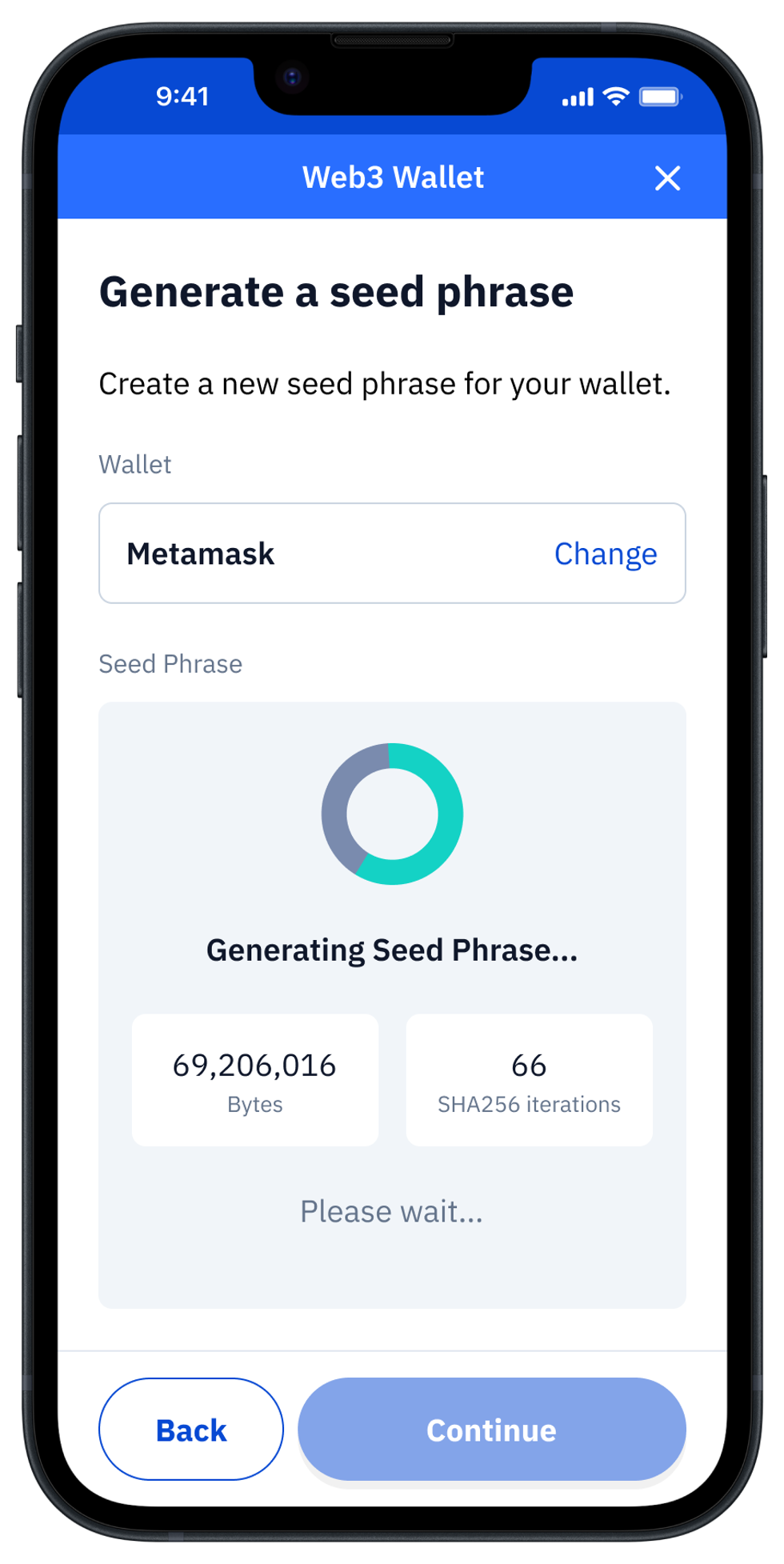
Once you select the word count, tap on the "Continue" button and Vault12 will start generating your unique seed phrase.
Initialize or import Seed Phrase into your wallet
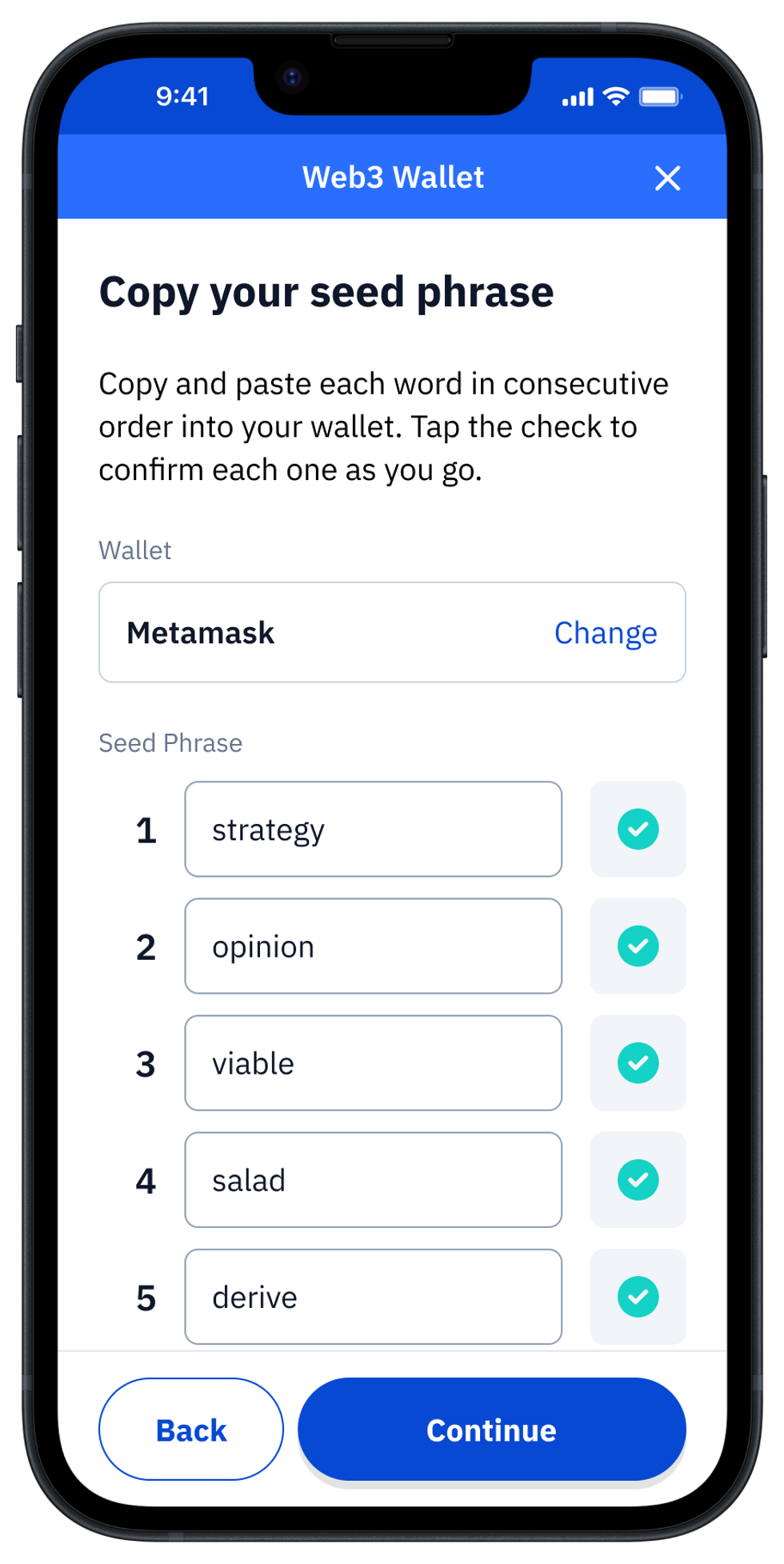
Once the Seed Phrase is generated, Vault12 Guard will auto-populate the Asset Seed Phrase word-by-word form with your Seed Phrase for Vault storage and backup with Guardians.
Now your new Seed Phrase is ready to enter into your Web3 wallet. (You can use your new Seed Phrase for this now, or create your Web3 wallet at any later time.)
Copy each word from Vault12 into your wallet screen consecutively, and click the checkbox next to each word after it is entered into your wallet to keep track of your progress. Double-check your entries - it is critical to not make an error in this step.
To learn more about Vault12's research into random number generation (on Apple iOS devices in particular), see this blog post on How to get true randomness from your Apple device.
Name your Asset, and store it in your Vault
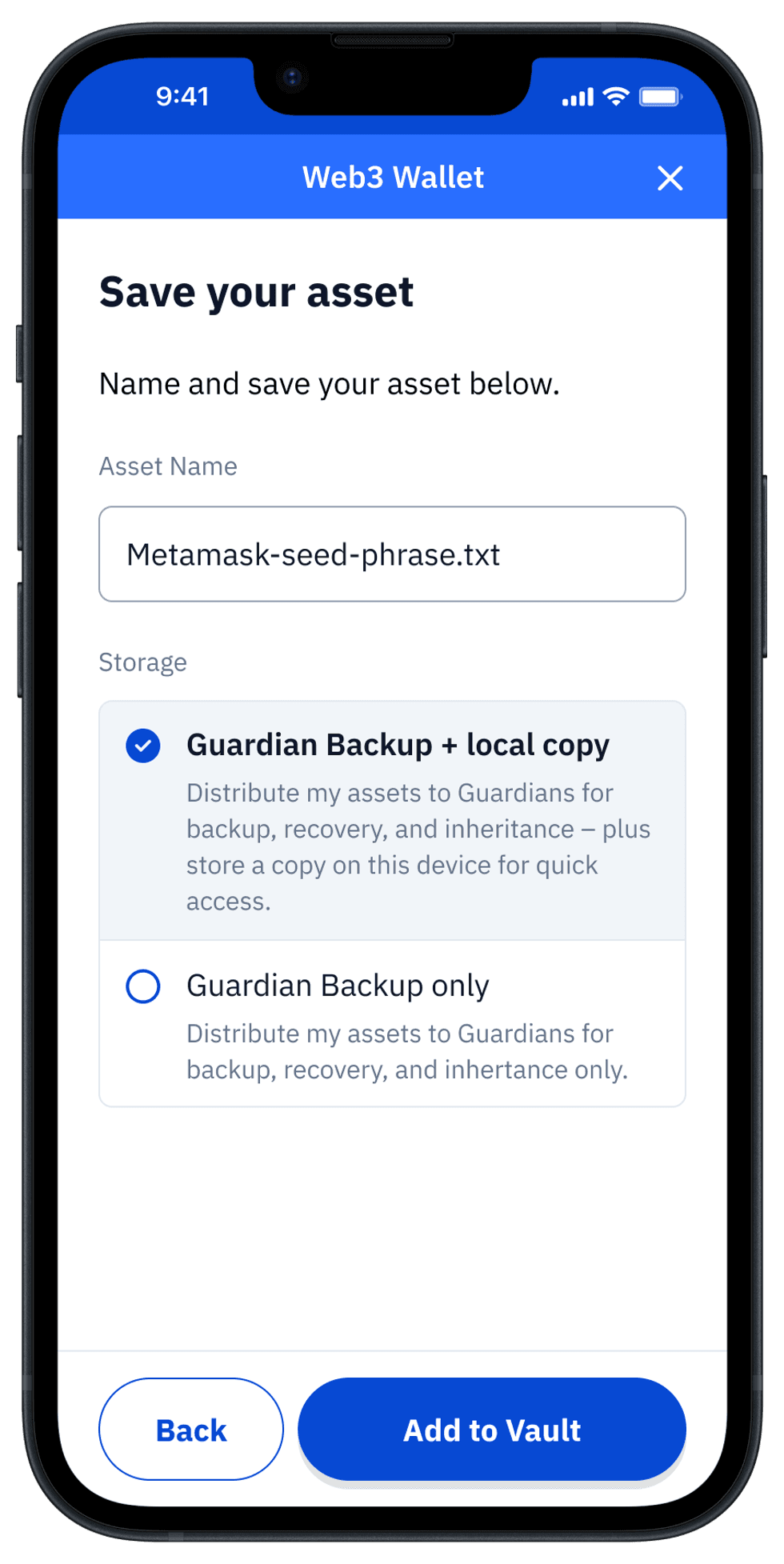
Once you have entered all of the words and clicked the "Done" and "Continue" buttons, you have the option to give your Wallet's Asset a unique name (otherwise it will be stored with the name of the Wallet vendor chosen before).
If you already set up the Guardians for your Vault, there will be a choice between creating an Asset Backup using your Guardians only, or "Guardian Backup + local copy." Having a local copy might be convenient in case you need regular and prompt access to this seed phrase, however choosing "Guardian Backup only" is more appropriate for cold storage and higher security needs.
Finally, press the "Add to Vault" button, to store the Asset.
Your Vault distributes a Backup of your Asset to your Guardians
After you tap "Add to Vault," the app will bring you to the main "My Vault" screen, showing you the newly added Asset. You can check the status of the backup by tapping on the Asset.
After the Seed Phrase is stored in your Vault, it will be encrypted, split, and distributed to your Guardians. In case you choose not to store a local copy, the asset will be locked after distribution to Guardians is complete.
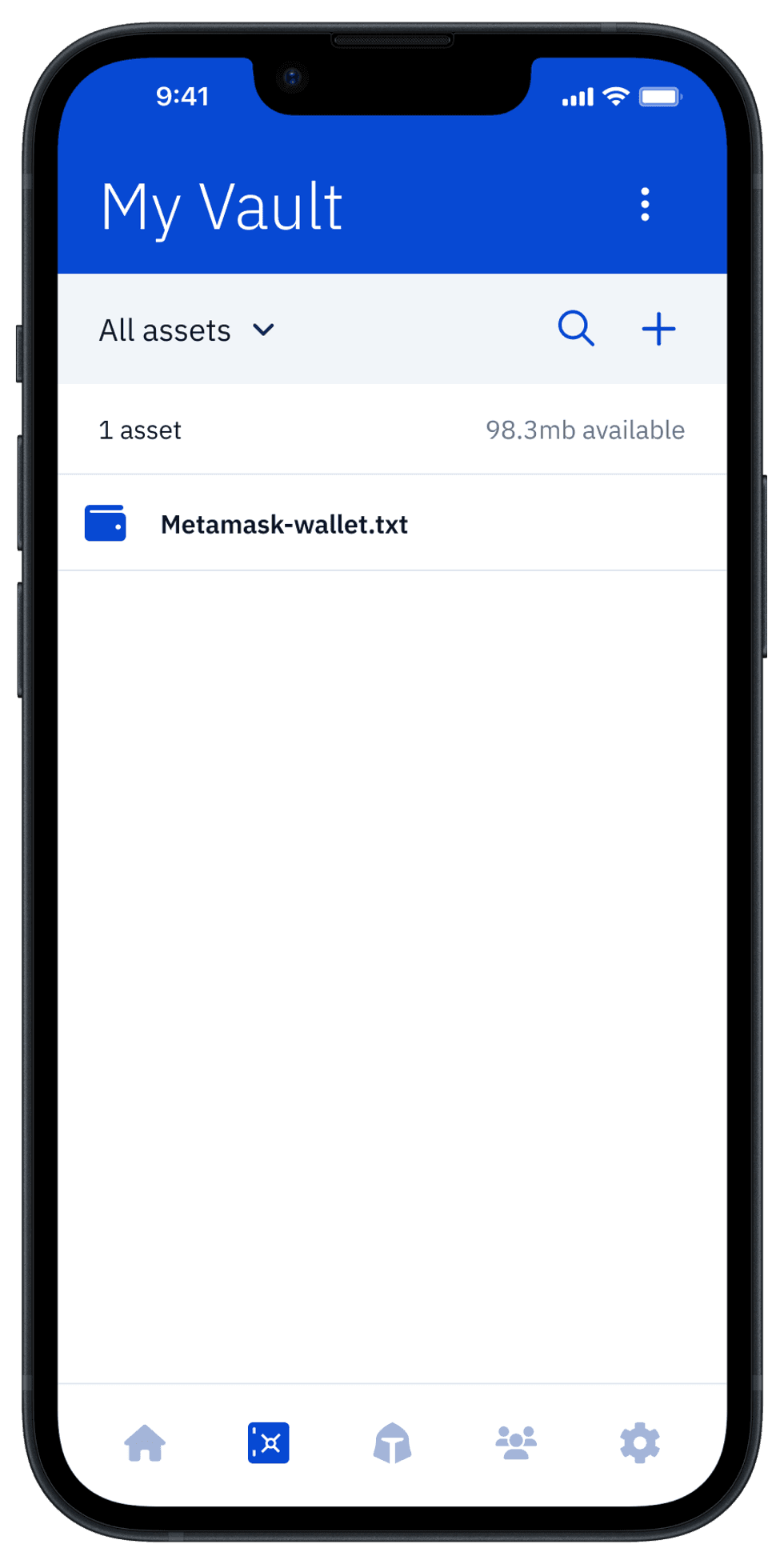
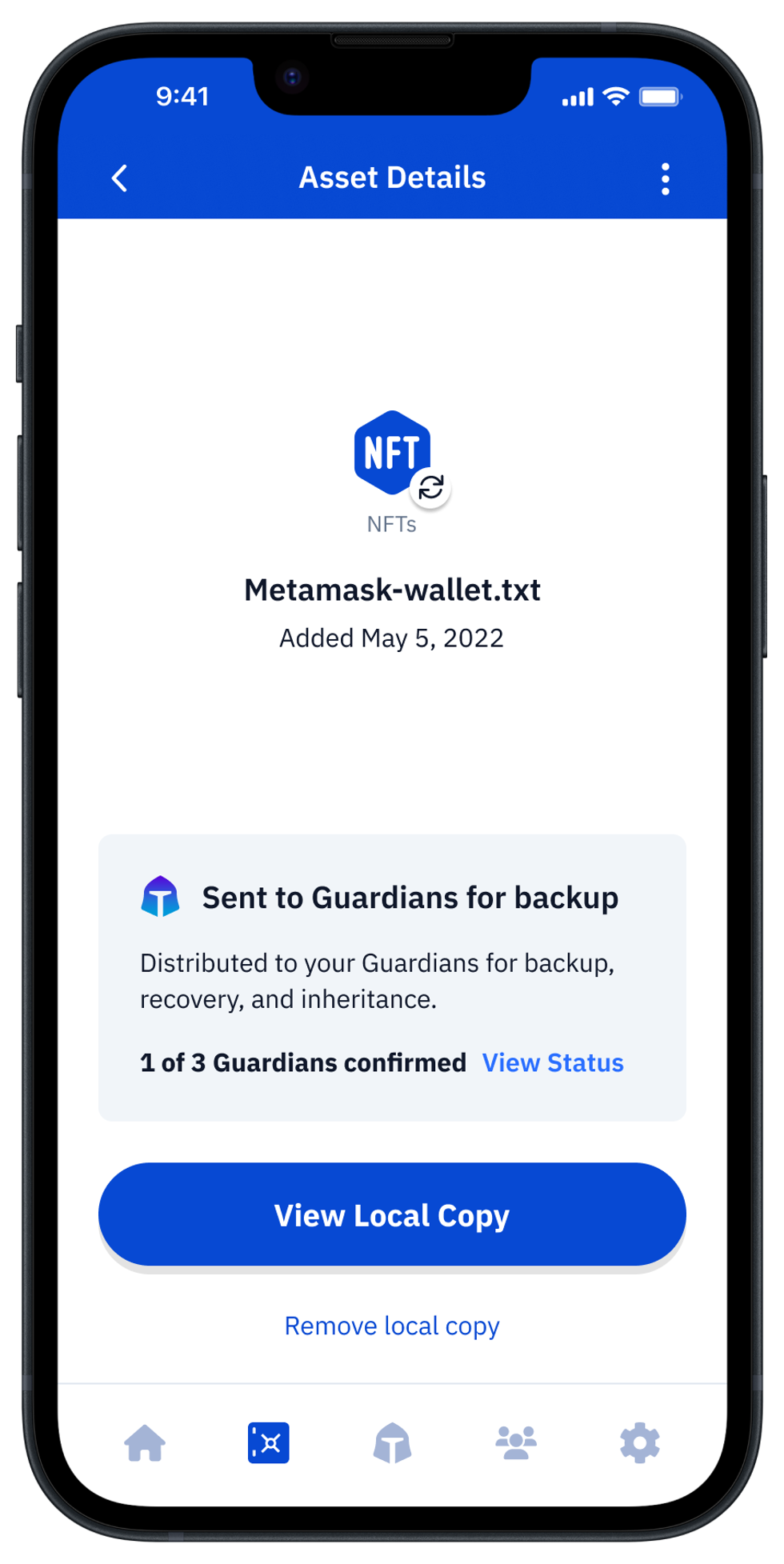
By default, your Asset will remain locked. To unlock and access your Seed Phrase, check out this article.
Once unlocked, your Asset's Seed Phrase will be temporarily displayed so that you can enter it into a new wallet.
Note: The asset will automatically lock after 2 hours.
.
Featured Articles






Vault12 is NOT a financial institution, cryptocurrency exchange, or custodian. We do NOT hold, transfer, manage, or have access to any user funds, tokens, cryptocurrencies, or digital assets. Vault12 is exclusively a non-custodial information security and backup tool that helps users securely store their own wallet seed phrases and private keys for the purpose of inheritance. We provide no legal or financial services, asset management, transaction capabilities, or investment advice. Users maintain complete control of their assets at all times.
Vault12 Product Demo
Get The Vault12 App Onto Your Phone