Vault12 Guard app enables it's users to add personalized level of security by utilizing Voice memos during the most sensitive communications in your trusted circle of Guardians. This innovative feature enhances how users of Vault12 Guardian app authenticate each other, by personal voice memos upon recovery requests. This article covers step-by-step the process of using voice memos.
The Canary Protocol: Your Early Warning System
The Canary Protocol acts as a subtle security measure, embedding a familiar verbal cue into your voice memos for recovery requests. An agreed-upon phrase, known only to you and your Guardian, serves as a covert password. Its absence suggests a compromised request, signalling an unauthorized recovery attempt.
How it Works:
- Record a voice memo with a pre-agreed verbal cue
- Use this cue in all recovery requests or safety checks
- Guardians recognize the cue, ensuring the request's authenticity
Example:
A friendly greeting or inside joke could serve as the Canary, seamlessly integrated into your communication, adding a layer of fun and security.
Emergency Words: Discreet Alerts
Emergency words provide a discreet method to alert Guardians of potential threats. These phrases, understood only by the recipient, can signal a call for specific behavior (e.g., to avoid confirming recovery requests, or to implement an emergency plan).
Key Features:
- Pre-agreed phrases that indicate distress
- Only recognizable by trusted Guardians
- Prevents unauthorized recovery confirmations, and may help signal for assistance
Example:
A subtle phrase within a memo can alert a Guardian to halt the recovery process, protecting you and your Vault contents.
Recover Asset Request
The brand new Voice Memos feature appears first on Recover Asset Request screen as an Record button with the icon of microphone in front of every Guardians name. The usage of this function is pretty intuitive. However to start using it you have to decide about your voice-level security setup with Guardians. Recording tips might be helpful to recall about possible options.
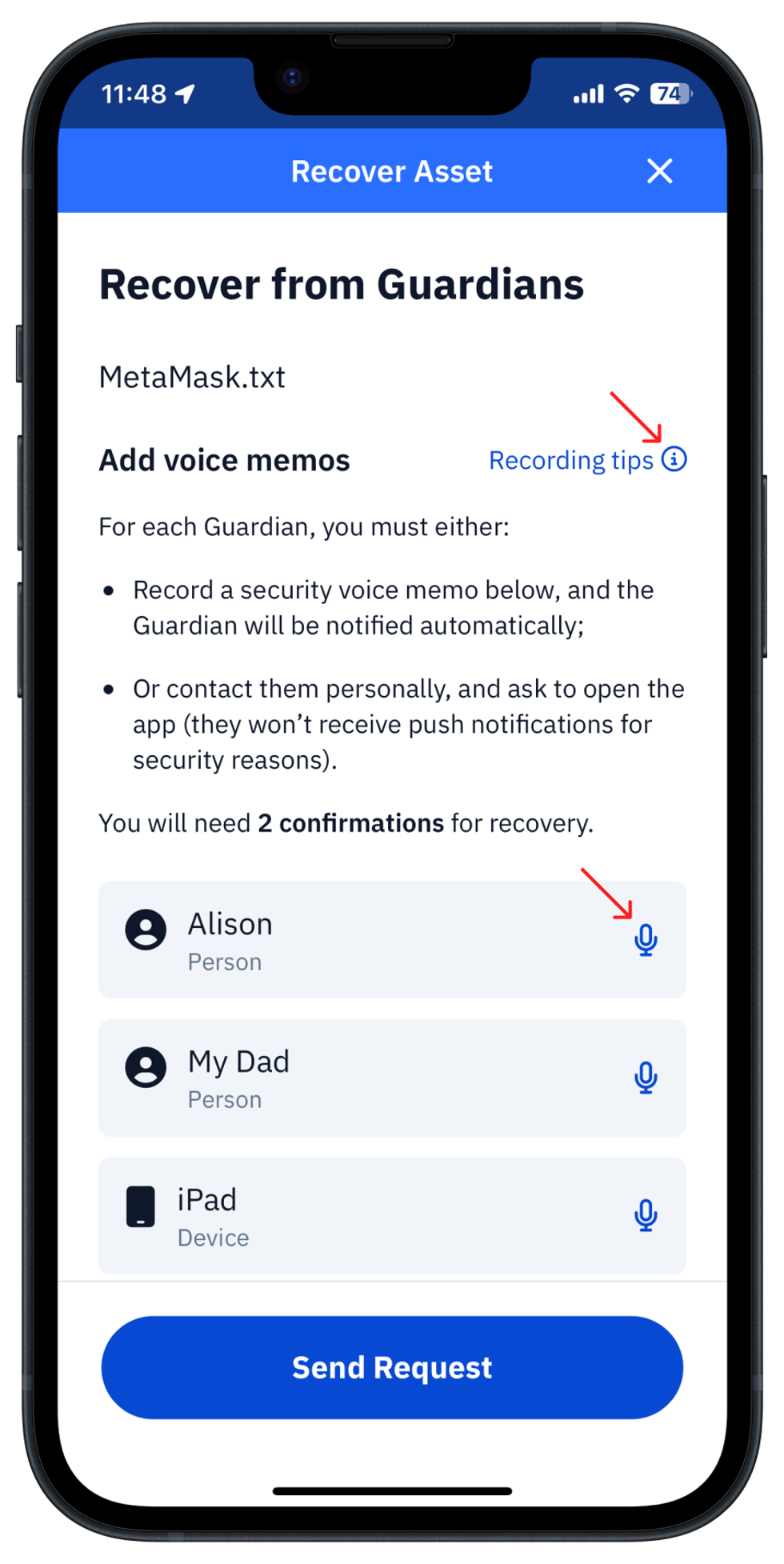
Choose your Voice ceremony with Guardians
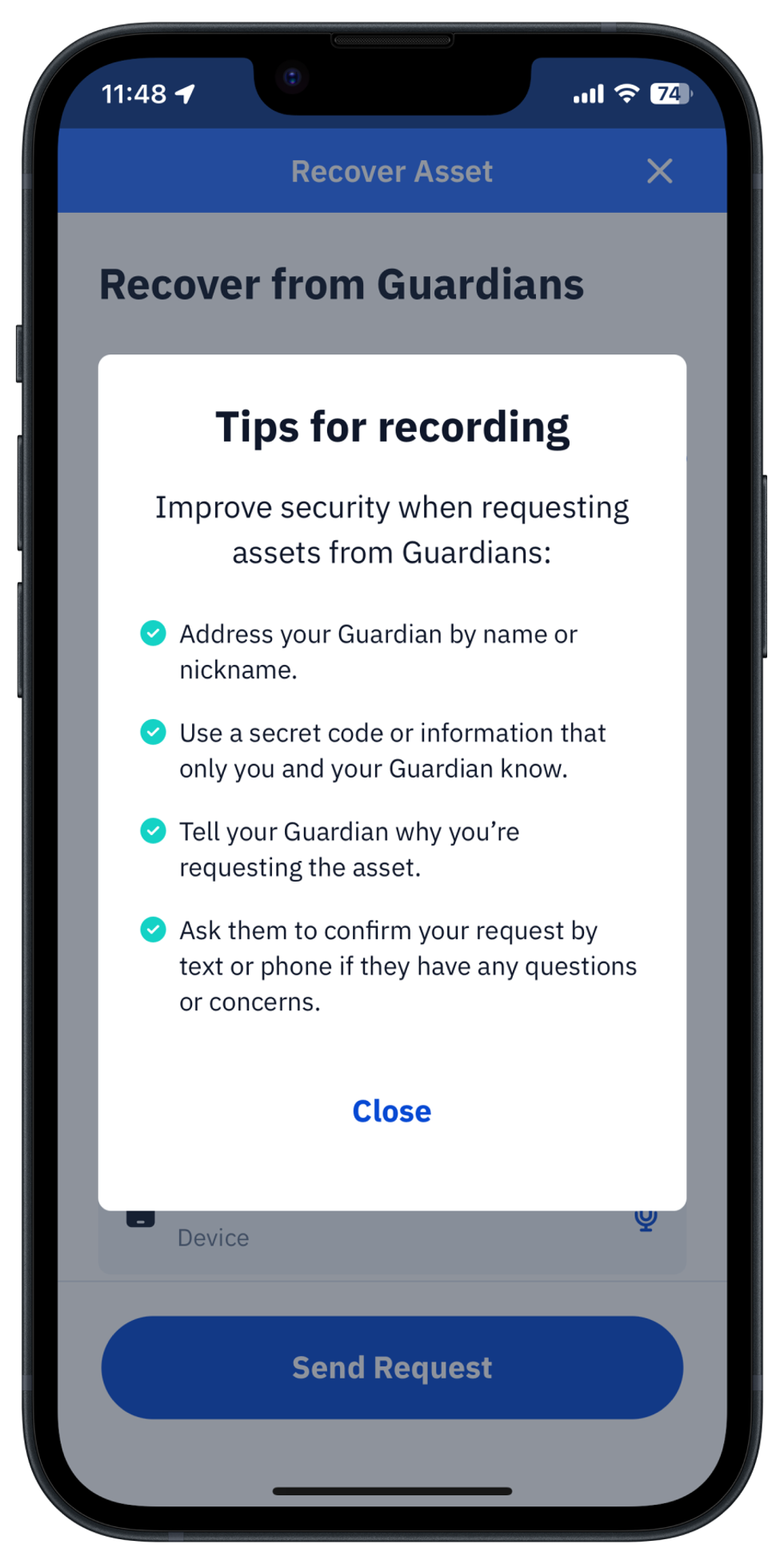
Along with tips, we specifically covered possible scenarios of voice-based security implementations for you in {this dedicated article LINK}. It is recommended to read in advance of deciding about your specific way of use of voice-level security and setting it up with your Guardians, since changing that later might be cumbersome for Guardians and undermine the confidence of what is the actual setup, leading to confusions.
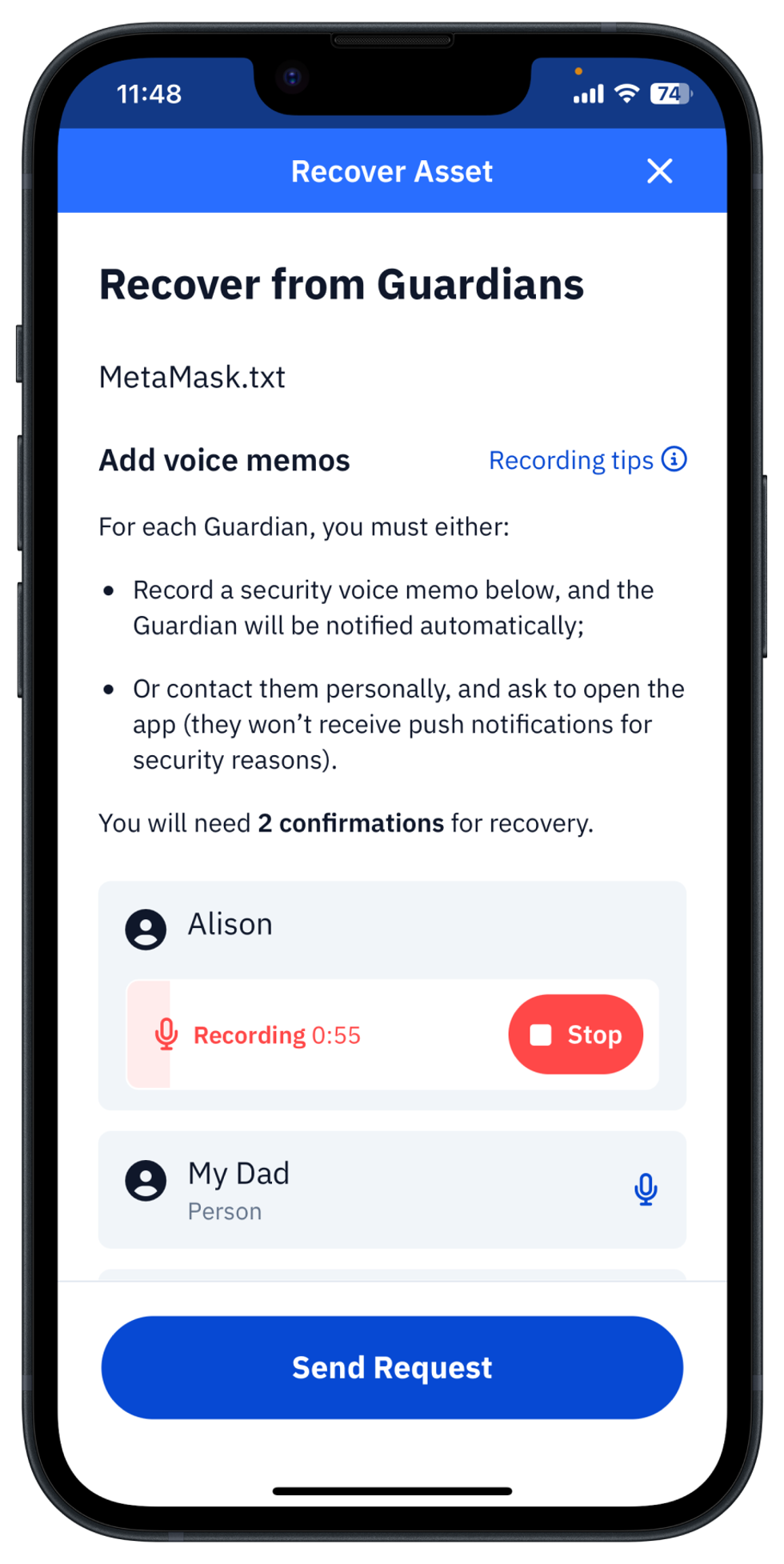
Record a voice memo
As to actual usage of functionality, just push the record button and pronounce a message according to what you've setup with your Guardians as voice-level security.
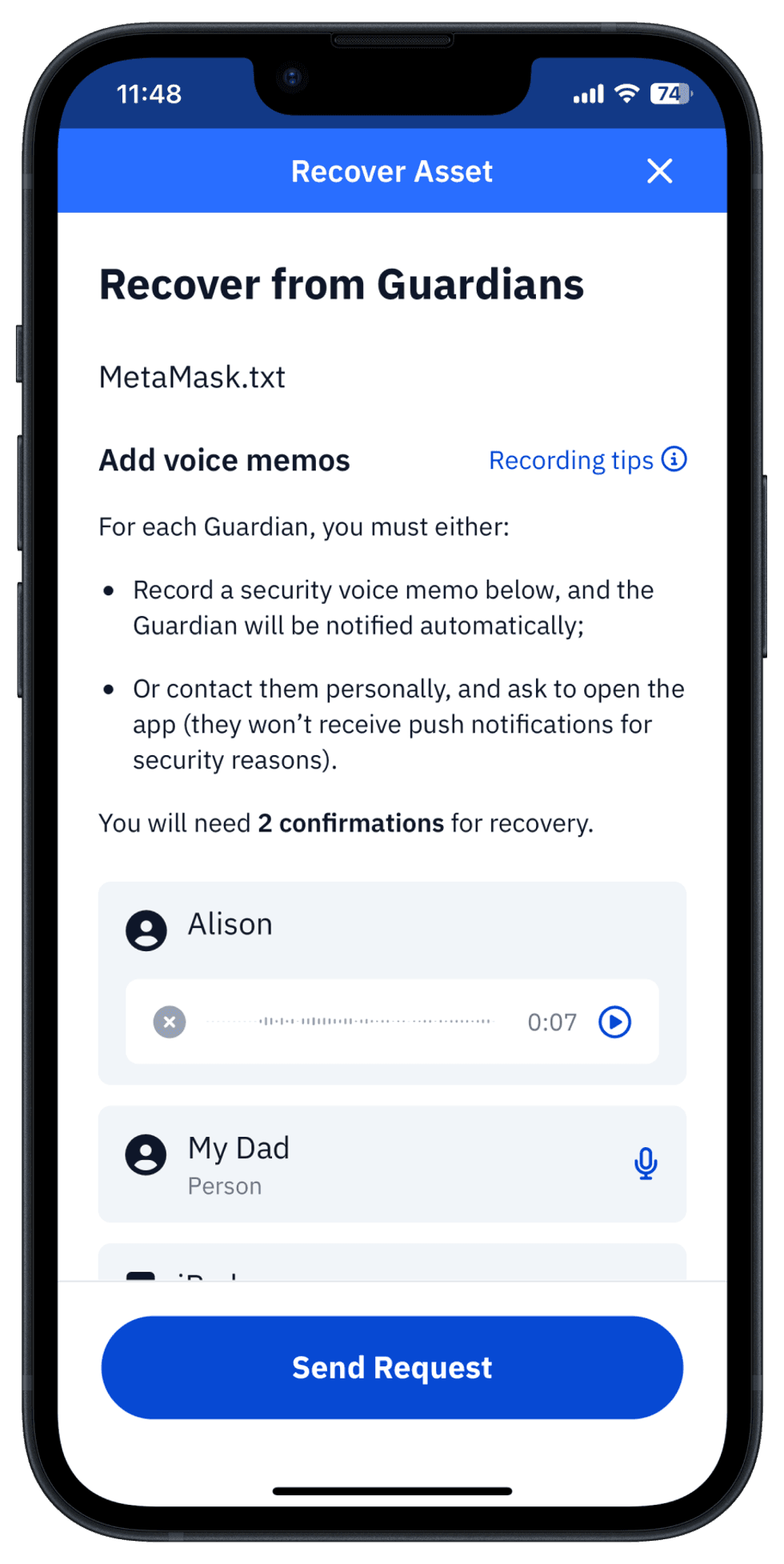
Finalize recovery request
After recording you will see the waveform of recorded message and be able to reproduce to check integrity, and delete it and re-record if necessary.
Next, consider recording voice memos for other Guardians and that's it, you can push Send Request.
How requests with Voice memos confirm by Guardians
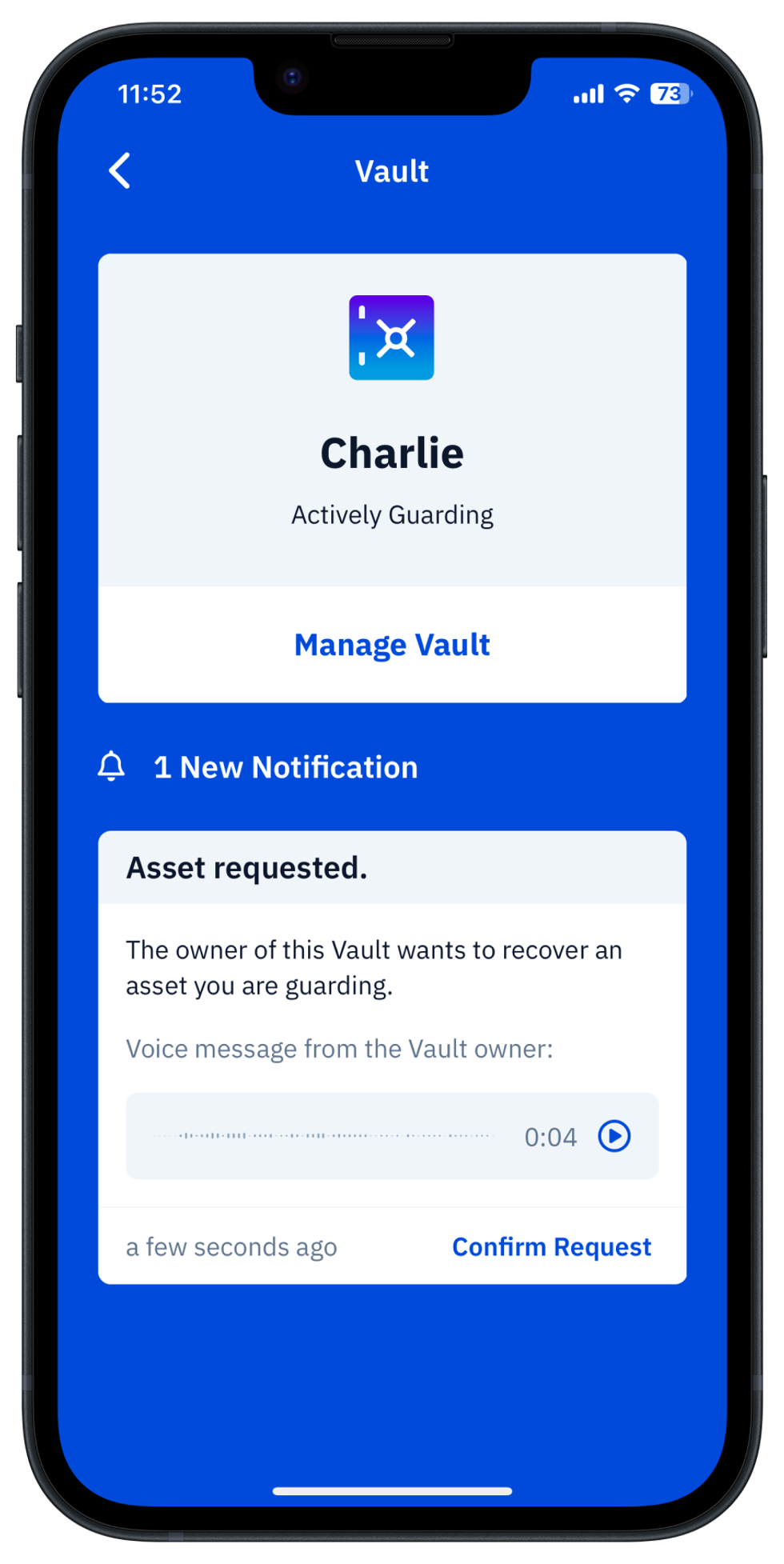
That's how it will look like on Guardian side: they will receive request as usual, and if it contains Voice memo, it will be shown in it and available for listening.
The Guardian just need to push Play button, listen to message, decide upon it's content if it complies with the agreed voice-level of security and Confirm or follow other instructions agreed.
The backbone for Voice-Level Security implementation
Voice memo data is transferred over the secure and decentralized messaging protocol Zax, developed by the Vault12 team as a foundation of the Vault12 Guardian app. This means that in the case of a private Zax relay, your communication and voice memos will be transferred only by your own private network.